Step 01
Choose a compatible file
Start with music in WAV or FLAC at 44.1 or 48 kHz.
Resoluna by Loudless Labs · Limited beta
Give your music a fresh listen.
Upload compatible 44.1 or 48 kHz WAV or FLAC, generate an AI high-frequency extension, and download a 24-bit / 96 kHz FLAC to compare with your original.
Beta uploads are limited to 50 MB per file. Create an account now to register for launch; an account will be required when Resoluna goes live.
Limited beta
Upload a compatible WAV or FLAC file up to 50 MB. Create an account now to register for launch and be among the first to use Resoluna when it goes live.
Choose how to continue
Signed in as
Output is also capped at 50 MB and is typically about 3.5 times the input size. Choose a shorter or smaller source file if needed. Files are scheduled for deletion after 24 hours.
How it works
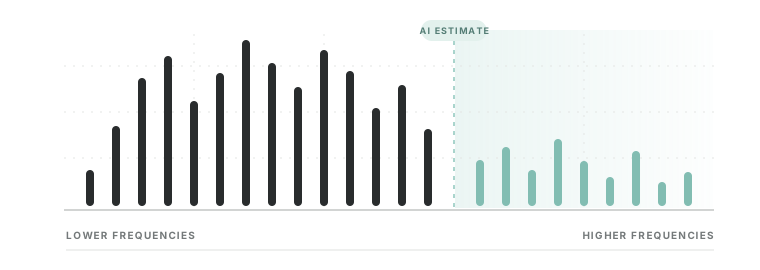
Resoluna analyzes patterns in your compatible track, including its lower-frequency structure, and estimates a plausible high-frequency extension. The result is a 24-bit / 96 kHz listening version made from music you already own—an opportunity to explore a fresh perspective without needing a separate high-resolution master. The extension is a model estimate, not the original missing signal, so keep your source and decide which version you prefer.
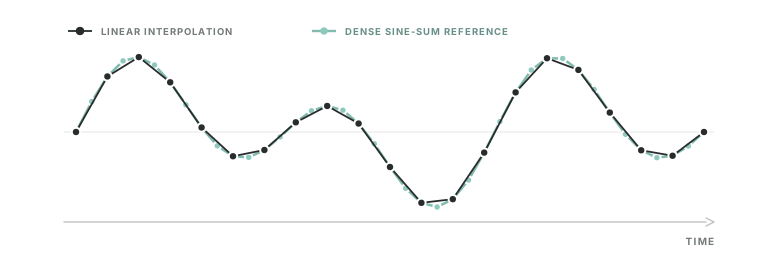
Illustrative concepts only—not prototype output or measurements.
Start with music in WAV or FLAC at 44.1 or 48 kHz.
The model estimates additional high-frequency content from the input audio.
Download the 24-bit / 96 kHz FLAC and inspect the input/output spectrogram preview when available.
Prototype details
The prototype is focused on music upscaling. It is not a noise-removal or speech-cleanup tool.
Questions and feedback
For questions about the prototype or to share feedback, contact Loudless Labs.